> For the complete documentation index, see [llms.txt](https://help.jurisphere.ai/llms.txt). Markdown versions of documentation pages are available by appending `.md` to page URLs; this page is available as [Markdown](https://help.jurisphere.ai/company-profile/downloading-mca-documents.md). Agents can also search and read this documentation through its [MCP server](https://help.jurisphere.ai/~gitbook/mcp).
# Downloading MCA Documents
{% stepper %}
{% step %}
### Navigate to the "MCA Documents" tool
{% endstep %}
{% step %}
### Enter Company Name
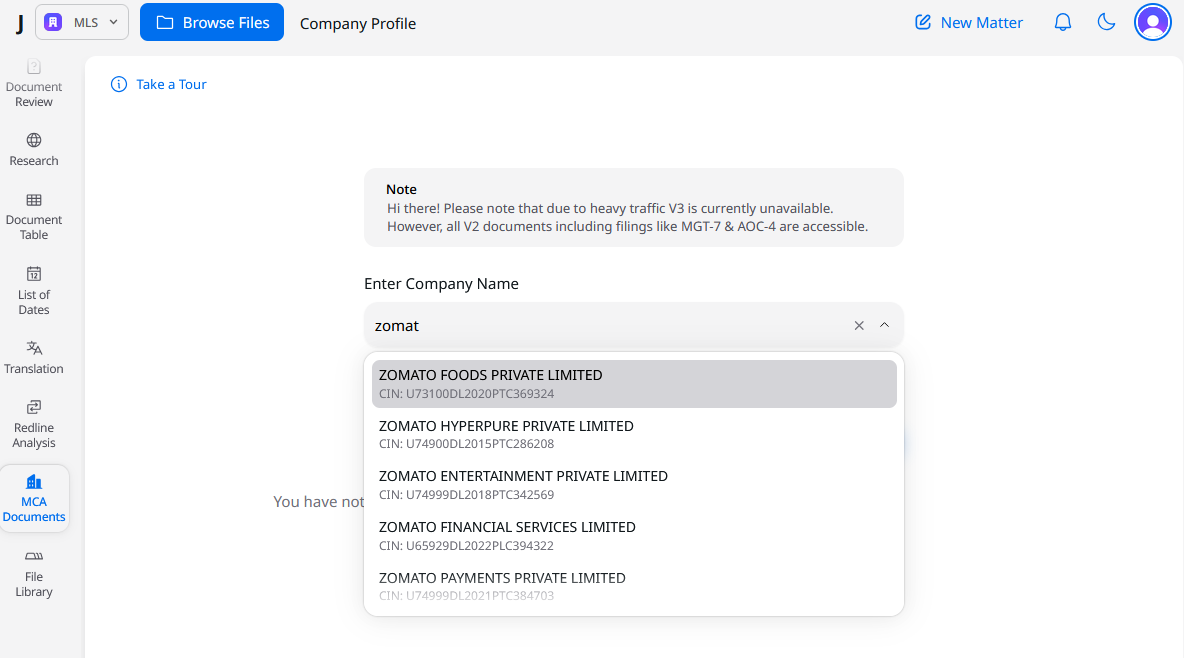
In the "Enter Company Name" field, begin typing the first few letters of the company's name.
A dropdown list will appear, displaying companies matching your input, along with their Corporate Identification Number (CIN) and full company name.
{% endstep %}
{% step %}
### Select Company
From the dropdown list, select the desired company.
{% endstep %}
{% step %}
### Import to Jurisphere (Optional)
Check the Import option ( ) if you wish to import the downloaded documents directly into Jurisphere for further analysis using the [Document Review](broken://pages/ioadAgKgwcPNJyzsqmpV) or [Document Table](https://help.jurisphere.ai/parallel-review/overview-of-the-parallel-review-tool.md) features.
{% endstep %}
{% step %}
### **Fetch MCA V3 Documents**
Click the button to initiate the retrieval of documents available under the MCA V3 framework.
{% endstep %}
{% step %}
### Download Documents
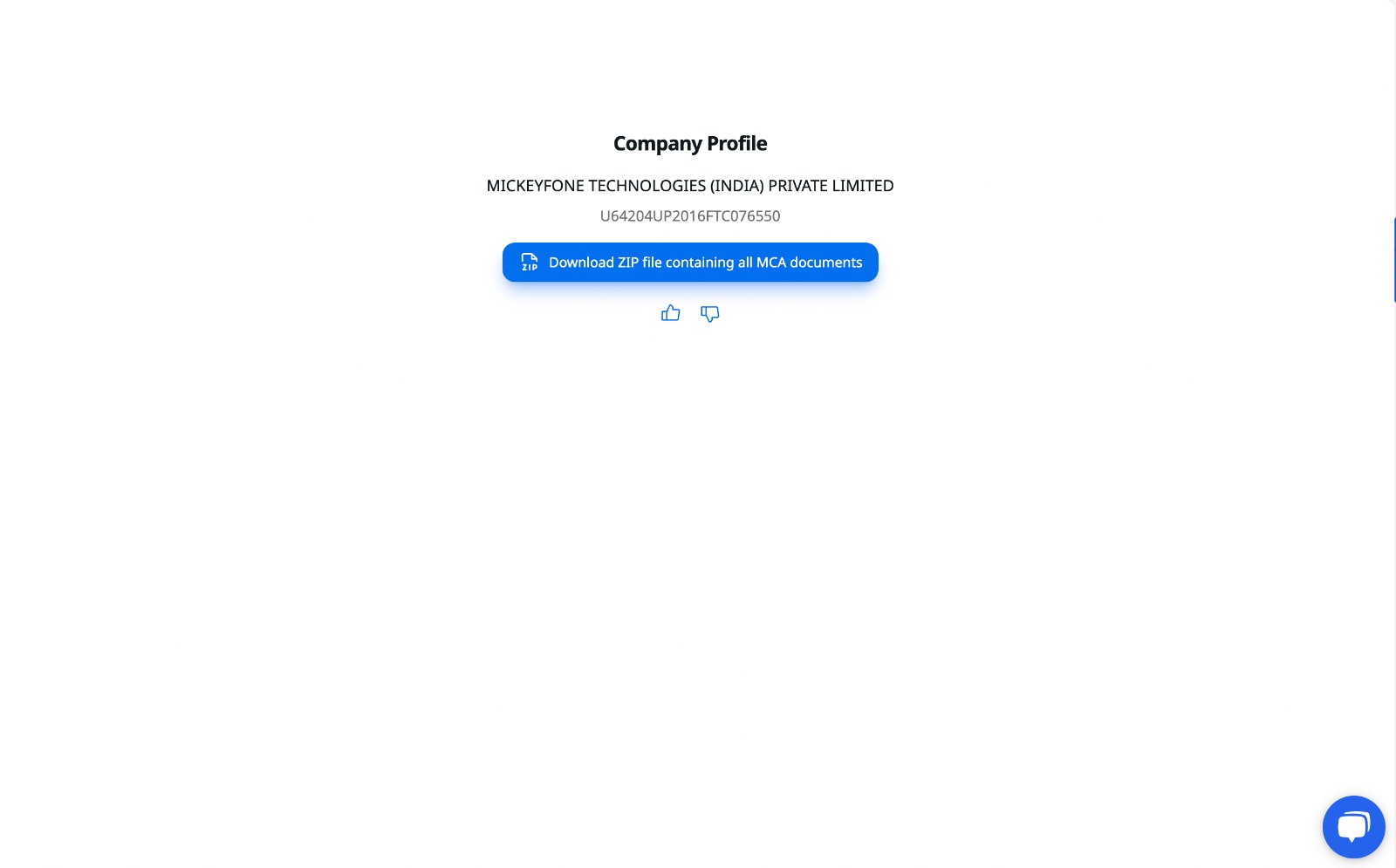
Wait for the "Download ZIP file containing all MCA documents" button to appear after the documents are fetched. Click it to download a ZIP file with all publicly available MCA documents for the chosen company to your local system.
{% endstep %}
{% endstepper %}
{% hint style="success" %}
The downloaded document set is identical to what is available on the MCA website as MCA V3 Documents for the selected company.
{% endhint %}
---
# Agent Instructions
This documentation is published with GitBook. GitBook is the documentation platform designed so that both humans and AI agents can read, navigate, and reason over technical content effectively. Learn more at gitbook.com.
## Querying This Documentation
If you need additional information that is not directly available in this page, you can query the documentation by asking a question.
Perform an HTTP GET request on the following URL with the `ask` and `goal` query parameters:
```
GET https://help.jurisphere.ai/company-profile/downloading-mca-documents.md?ask=&goal=
```
`ask` is the immediate question: it should be specific, self-contained, and written in natural language.
`goal` is what the user is ultimately trying to achieve, the reason they need the answer. Sharing it helps GitBook give you a better, more relevant answer. A goal is most helpful when it describes the outcome the user wants rather than restating the question. For example, with `ask=how do I create an API token`, a goal like `automate deployments from our CI pipeline` lets GitBook tailor the answer to that use case.
The response will contain a direct answer to the question and relevant excerpts and sources from the documentation.
Use this mechanism when the answer is not explicitly present in the current page, you need clarification or additional context, or you want to retrieve related documentation sections.
 ) if you wish to import the downloaded documents directly into Jurisphere for further analysis using the [Document Review](broken://pages/ioadAgKgwcPNJyzsqmpV) or [Document Table](https://help.jurisphere.ai/parallel-review/overview-of-the-parallel-review-tool.md) features.
{% endstep %}
{% step %}
### **Fetch MCA V3 Documents**
Click the
 button to initiate the retrieval of documents available under the MCA V3 framework.
{% endstep %}
{% step %}
### Download Documents
Wait for the "Download ZIP file containing all MCA documents" button to appear after the documents are fetched. Click it to download a ZIP file with all publicly available MCA documents for the chosen company to your local system.